Python_JupyterNotebook Nbextensions 설치
□ Nbextensions 개념
- JupyterNotebook 확장 프로그램으로 실행 시간, 목차, 변수 탐색기 등 기능 사용 가능.
□ Nbextensions 설치 및 사용 방법
1. JupyterNotebook 실행 후 스크립트 생성하고 다음 3줄의 명령어 작성
# Nbextensions 설치
!pip install jupyter_nbextensions_configurator jupyter_contrib_nbextensions

# Nbextensions를 JupyterNotebook과 연결
!jupyter contrib nbextension install --user
!jupyter nbextensions_configurator enable --user
2. JupyterNotebook 재실행 후 메인 화면 상단에 추가된 Nbextensions 생성 확인 및 클릭

3. 체크박스 해제 후 원하는 기능 체크
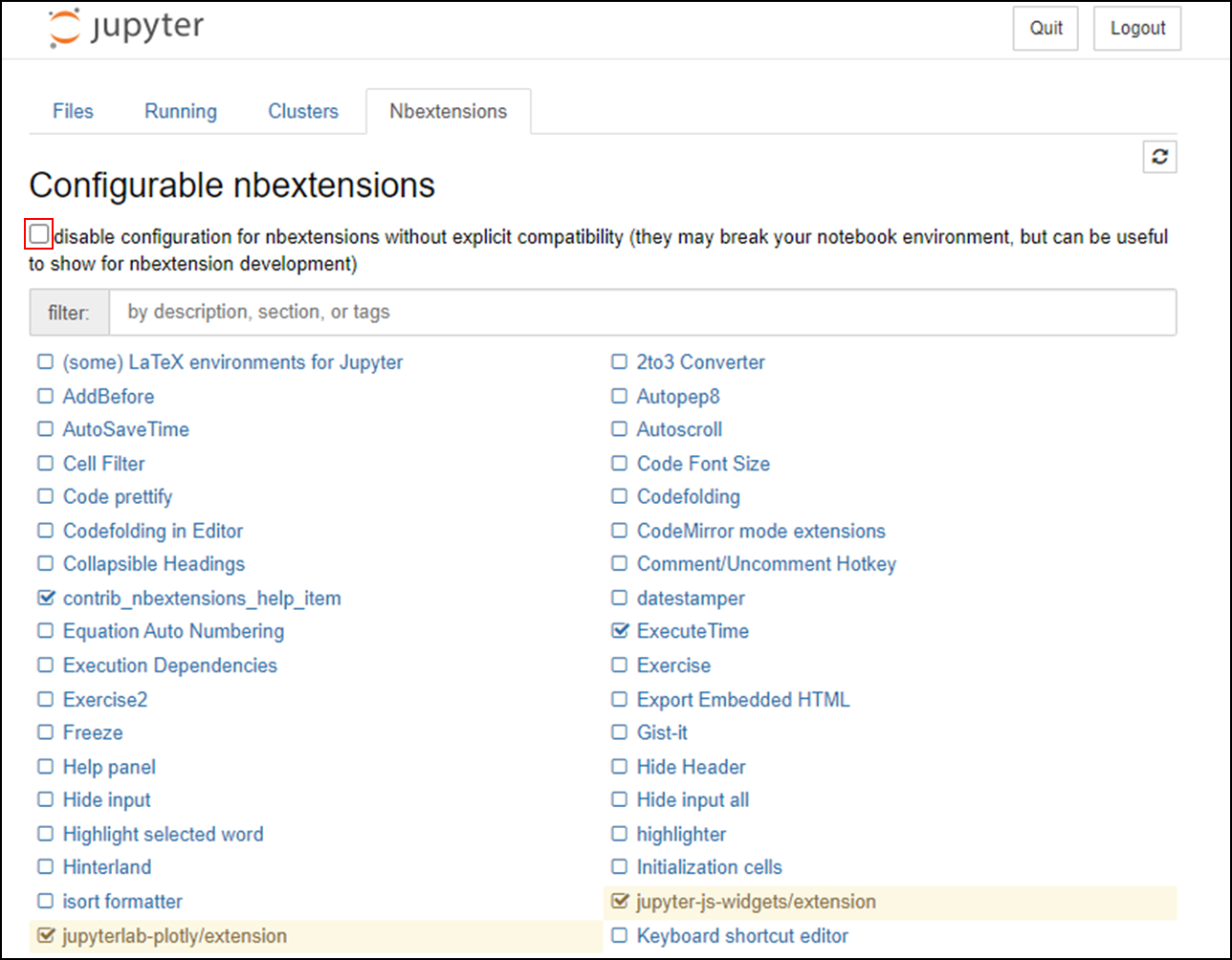
□ 유용한 몇가지 옵션
● Hinterland
- 코드를 전부 작성하지 않아도 자주 쓰이는 코드 및 앞서 사용한 변수를 미리 표출해주는 기능

● Collapsible Headings
- Markdown된 Heading을 접었다 폈다 할 수 있는 기능
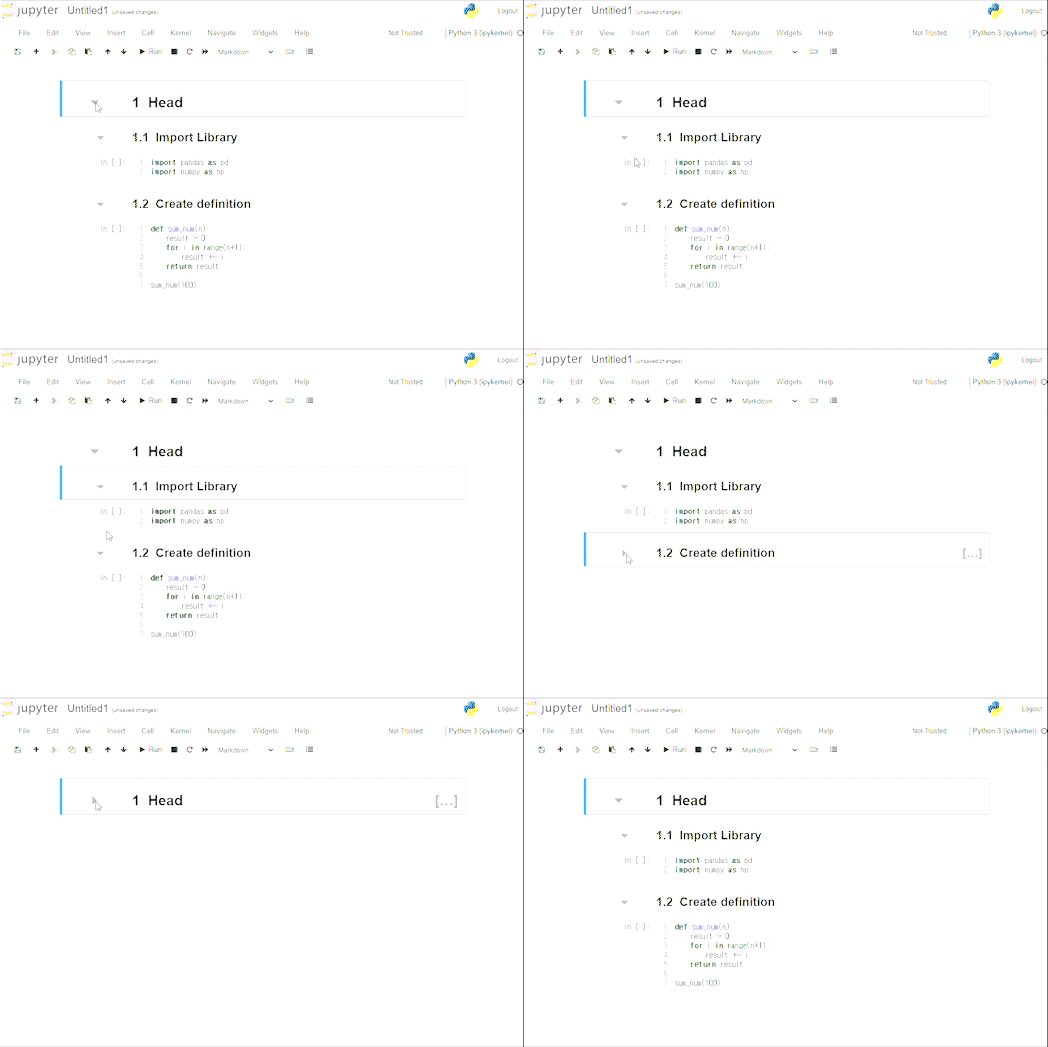
● Table of Contents
- 지정한 헤더를 목차형식으로 만들어 목차를 기반으로 코드를 검색하는 기능


● Execute Time
- 지정한 헤더를 목차형식으로 만들어 목차를 기반으로 코드를 검색하는 기능

● Autopep8
- PEP 8 스타일에 맞게 코드를 자동으로 정리해주는 기능

● Hide input all
- 코드들을 숨기고 출력된 결과물들만 보여주는 기능

참고자료 : https://jupyter-contrib-nbextensions.readthedocs.io/en/latest/install.html
Installing jupyter_contrib_nbextensions — jupyter_contrib_nbextensions 0.5.0 documentation
Installing jupyter_contrib_nbextensions To install the jupyter_contrib_nbextensions notebook extensions, three steps are required. First, the Python pip package needs to be installed. Then, the notebook extensions themselves need to be copied to the Jupyte
jupyter-contrib-nbextensions.readthedocs.io